

We recommend that you familiarize yourselves with UI Customization Concepts before attempting to modify any components.
Overview
- React / Next.js
- Other Frameworks
<VeltWireframe>
    <VeltRecordingPreviewStepsDialogWireframe>
        <VeltRecordingPreviewStepsDialogWireframe.Audio />
        <VeltRecordingPreviewStepsDialogWireframe.Video />
    </VeltRecordingPreviewStepsDialogWireframe>
</VeltWireframe>
<velt-wireframe style="display:none;">
    <velt-recording-preview-steps-dialog-wireframe>
        <velt-recording-preview-steps-dialog-audio-wireframe />
        <velt-recording-preview-steps-dialog-video-wireframe />
    </velt-recording-preview-steps-dialog-wireframe>
</velt-wireframe>
Audio
This component is used for audio recording preview.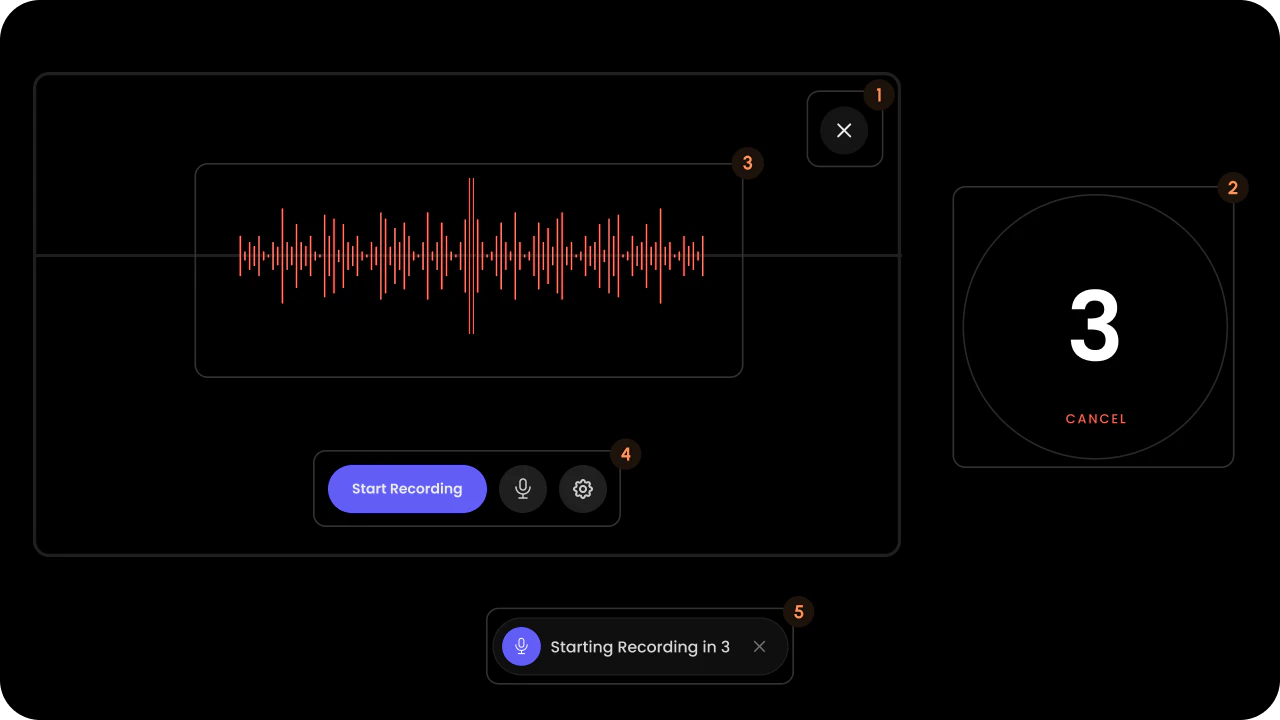
- React / Next.js
- Other Frameworks
<VeltRecordingPreviewStepsDialogWireframe.Audio>
    <VeltRecordingPreviewStepsDialogWireframe.Audio.CloseButton />
    <VeltRecordingPreviewStepsDialogWireframe.Audio.Timer />
    <VeltRecordingPreviewStepsDialogWireframe.Audio.Waveform />
    <VeltRecordingPreviewStepsDialogWireframe.Audio.SettingsPanel />
    <VeltRecordingPreviewStepsDialogWireframe.Audio.ButtonPanel />
    <VeltRecordingPreviewStepsDialogWireframe.Audio.BottomPanel />
</VeltRecordingPreviewStepsDialogWireframe.Audio>
<velt-recording-preview-steps-dialog-audio-wireframe>
    <velt-recording-preview-steps-dialog-close-button-wireframe />
    <velt-recording-preview-steps-dialog-timer-wireframe />
    <velt-recording-preview-steps-dialog-waveform-wireframe />
    <velt-recording-preview-steps-dialog-settings-panel-wireframe />
    <velt-recording-preview-steps-dialog-button-panel-wireframe />
    <velt-recording-preview-steps-dialog-bottom-panel-wireframe />
</velt-recording-preview-steps-dialog-audio-wireframe>
Audio Bottom Panel
Bottom panel of the audio recording preview dialog.
- React / Next.js
- Other Frameworks
<VeltRecordingPreviewStepsDialogWireframe.Audio.BottomPanel>
    <VeltRecordingPreviewStepsDialogWireframe.Audio.BottomPanel.Icon />
    <VeltRecordingPreviewStepsDialogWireframe.Audio.BottomPanel.Countdown />
    <VeltRecordingPreviewStepsDialogWireframe.Audio.BottomPanel.Close />
</VeltRecordingPreviewStepsDialogWireframe.Audio.BottomPanel>
<velt-recording-preview-steps-dialog-bottom-panel-wireframe>
    <velt-recording-preview-steps-dialog-bottom-panel-icon-wireframe></velt-recording-preview-steps-dialog-bottom-panel-icon-wireframe>
    <velt-recording-preview-steps-dialog-bottom-panel-countdown-wireframe></velt-recording-preview-steps-dialog-bottom-panel-countdown-wireframe>
    <velt-recording-preview-steps-dialog-bottom-panel-close-wireframe></velt-recording-preview-steps-dialog-bottom-panel-close-wireframe>
</velt-recording-preview-steps-dialog-bottom-panel-wireframe>
Icon

- React / Next.js
- Other Frameworks
<VeltRecordingPreviewStepsDialogWireframe.Audio.BottomPanel.Icon />
<velt-recording-preview-steps-dialog-bottom-panel-icon-wireframe></velt-recording-preview-steps-dialog-bottom-panel-icon-wireframe>
Countdown

- React / Next.js
- Other Frameworks
<VeltRecordingPreviewStepsDialogWireframe.Audio.BottomPanel.Countdown />
<velt-recording-preview-steps-dialog-bottom-panel-countdown-wireframe></velt-recording-preview-steps-dialog-bottom-panel-countdown-wireframe>
Close

- React / Next.js
- Other Frameworks
<VeltRecordingPreviewStepsDialogWireframe.Audio.BottomPanel.Close />
<velt-recording-preview-steps-dialog-bottom-panel-close-wireframe></velt-recording-preview-steps-dialog-bottom-panel-close-wireframe>
Audio Button Panel
Button panel of the audio recording preview dialog.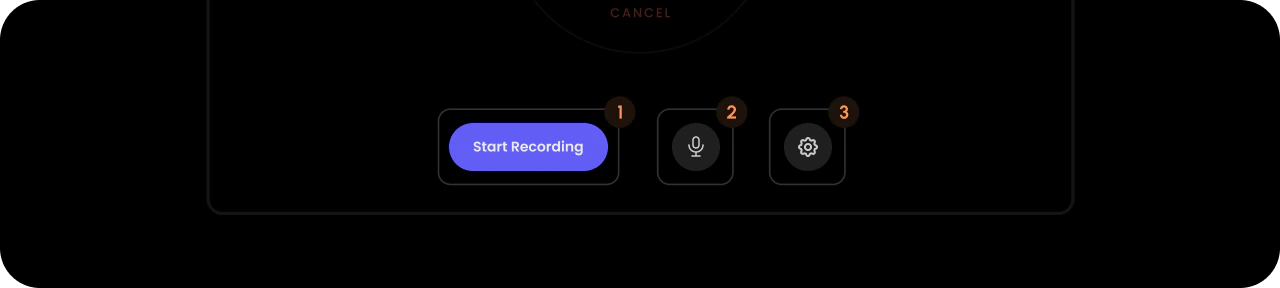
- React / Next.js
- Other Frameworks
<VeltRecordingPreviewStepsDialogWireframe.Audio.ButtonPanel>
    <VeltRecordingPreviewStepsDialogWireframe.Audio.StartRecording />
    <VeltRecordingPreviewStepsDialogWireframe.Audio.MicButton>
        <VeltRecordingPreviewStepsDialogWireframe.Audio.MicButton.On />
        <VeltRecordingPreviewStepsDialogWireframe.Audio.MicButton.Off />
    </VeltRecordingPreviewStepsDialogWireframe.Audio.MicButton>
    <VeltRecordingPreviewStepsDialogWireframe.Audio.Settings />
</VeltRecordingPreviewStepsDialogWireframe.Audio.ButtonPanel>
<velt-recording-preview-steps-dialog-button-panel-wireframe>
    <velt-recording-preview-steps-dialog-start-recording-wireframe></velt-recording-preview-steps-dialog-start-recording-wireframe>
    <velt-recording-preview-steps-dialog-mic-button-wireframe>
        <velt-recording-preview-steps-dialog-mic-button-on-wireframe></velt-recording-preview-steps-dialog-mic-button-on-wireframe>
        <velt-recording-preview-steps-dialog-mic-button-off-wireframe></velt-recording-preview-steps-dialog-mic-button-off-wireframe>
    </velt-recording-preview-steps-dialog-mic-button-wireframe>
    <velt-recording-preview-steps-dialog-settings-wireframe></velt-recording-preview-steps-dialog-settings-wireframe>
</velt-recording-preview-steps-dialog-button-panel-wireframe>
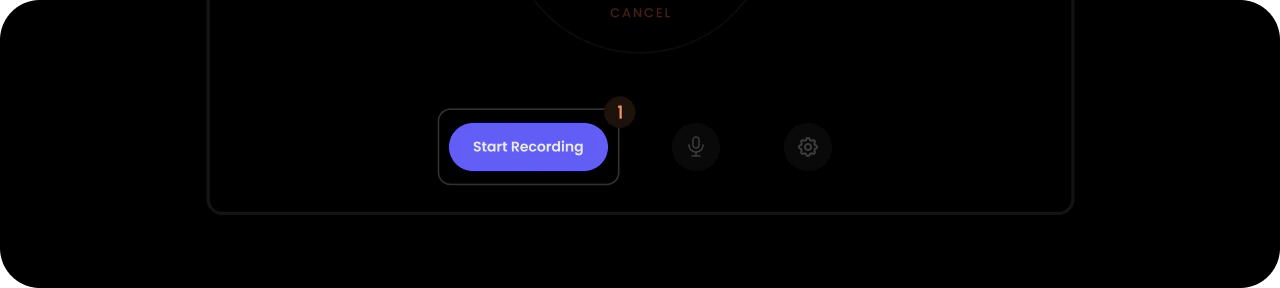
Start Recording
- React / Next.js
- Other Frameworks
<VeltRecordingPreviewStepsDialogWireframe.Audio.StartRecording />
<velt-recording-preview-steps-dialog-start-recording-wireframe></velt-recording-preview-steps-dialog-start-recording-wireframe>
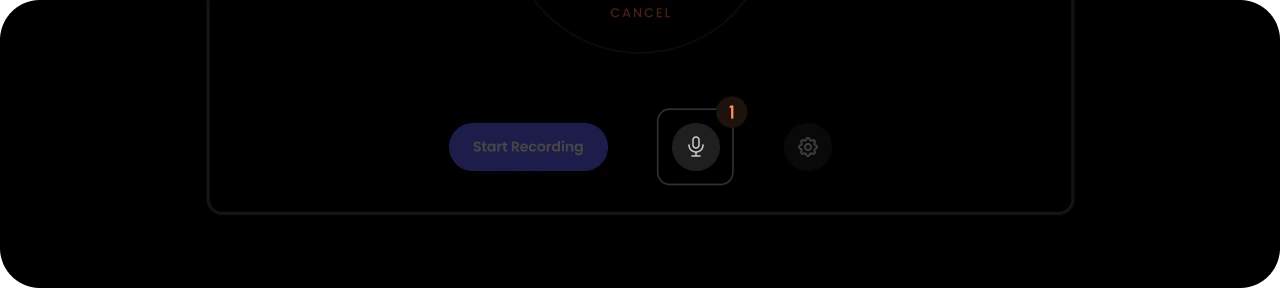
Mic Button
- React / Next.js
- Other Frameworks
<VeltRecordingPreviewStepsDialogWireframe.Audio.MicButton>
    <VeltRecordingPreviewStepsDialogWireframe.Audio.MicButton.On />
    <VeltRecordingPreviewStepsDialogWireframe.Audio.MicButton.Off />
</VeltRecordingPreviewStepsDialogWireframe.Audio.MicButton>
<velt-recording-preview-steps-dialog-mic-button-wireframe>
    <velt-recording-preview-steps-dialog-mic-button-on-wireframe></velt-recording-preview-steps-dialog-mic-button-on-wireframe>
    <velt-recording-preview-steps-dialog-mic-button-off-wireframe></velt-recording-preview-steps-dialog-mic-button-off-wireframe>
</velt-recording-preview-steps-dialog-mic-button-wireframe>
On

- React / Next.js
- Other Frameworks
<VeltRecordingPreviewStepsDialogWireframe.Audio.MicButton.On />
<velt-recording-preview-steps-dialog-mic-button-on-wireframe></velt-recording-preview-steps-dialog-mic-button-on-wireframe>
Off

- React / Next.js
- Other Frameworks
<VeltRecordingPreviewStepsDialogWireframe.Audio.MicButton.Off />
<velt-recording-preview-steps-dialog-mic-button-off-wireframe></velt-recording-preview-steps-dialog-mic-button-off-wireframe>
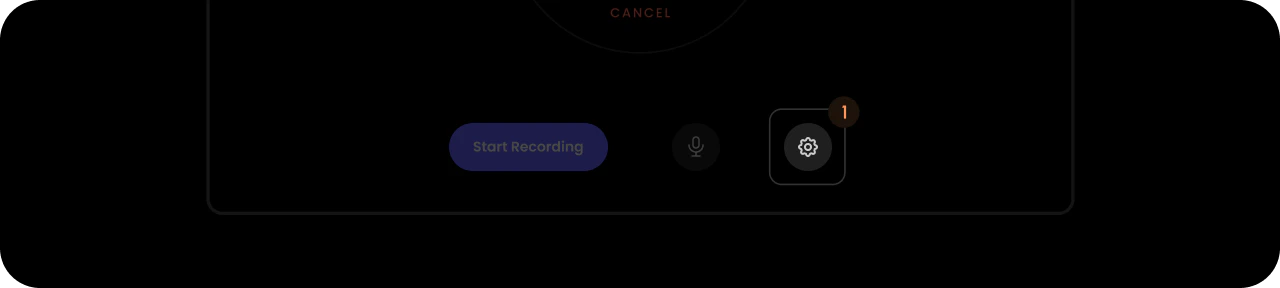
Settings
- React / Next.js
- Other Frameworks
<VeltRecordingPreviewStepsDialogWireframe.Audio.Settings />
<velt-recording-preview-steps-dialog-settings-wireframe></velt-recording-preview-steps-dialog-settings-wireframe>
Audio Timer
Timer of the audio recording preview dialog.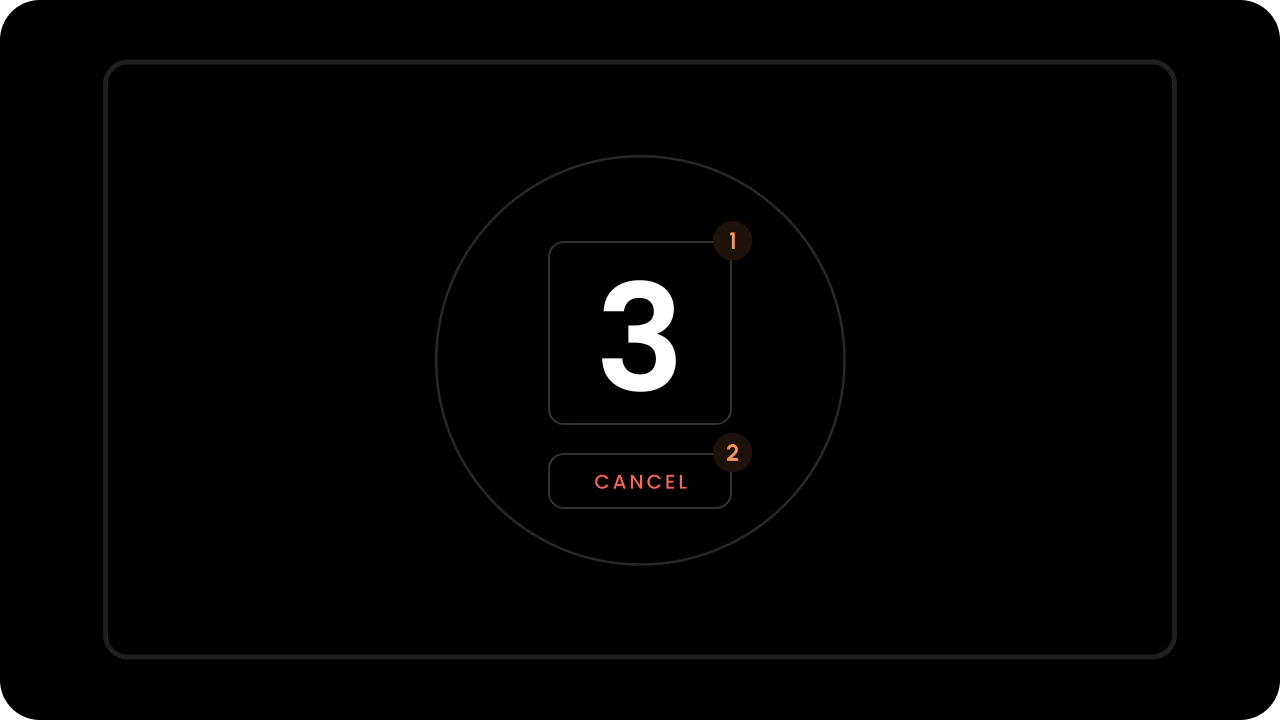
- React / Next.js
- Other Frameworks
<VeltRecordingPreviewStepsDialogWireframe.Audio.Timer>
    <VeltRecordingPreviewStepsDialogWireframe.Audio.Timer.Countdown />
    <VeltRecordingPreviewStepsDialogWireframe.Audio.Timer.Cancel />
</VeltRecordingPreviewStepsDialogWireframe.Audio.Timer>
<velt-recording-preview-steps-dialog-timer-wireframe>
    <velt-recording-preview-steps-dialog-timer-countdown-wireframe></velt-recording-preview-steps-dialog-timer-countdown-wireframe>
    <velt-recording-preview-steps-dialog-timer-cancel-wireframe></velt-recording-preview-steps-dialog-timer-cancel-wireframe>
</velt-recording-preview-steps-dialog-timer-wireframe>
Countdown
- React / Next.js
- Other Frameworks
<VeltRecordingPreviewStepsDialogWireframe.Audio.Timer.Countdown />
<velt-recording-preview-steps-dialog-timer-countdown-wireframe></velt-recording-preview-steps-dialog-timer-countdown-wireframe>
Cancel
- React / Next.js
- Other Frameworks
<VeltRecordingPreviewStepsDialogWireframe.Audio.Timer.Cancel />
<velt-recording-preview-steps-dialog-timer-cancel-wireframe></velt-recording-preview-steps-dialog-timer-cancel-wireframe>
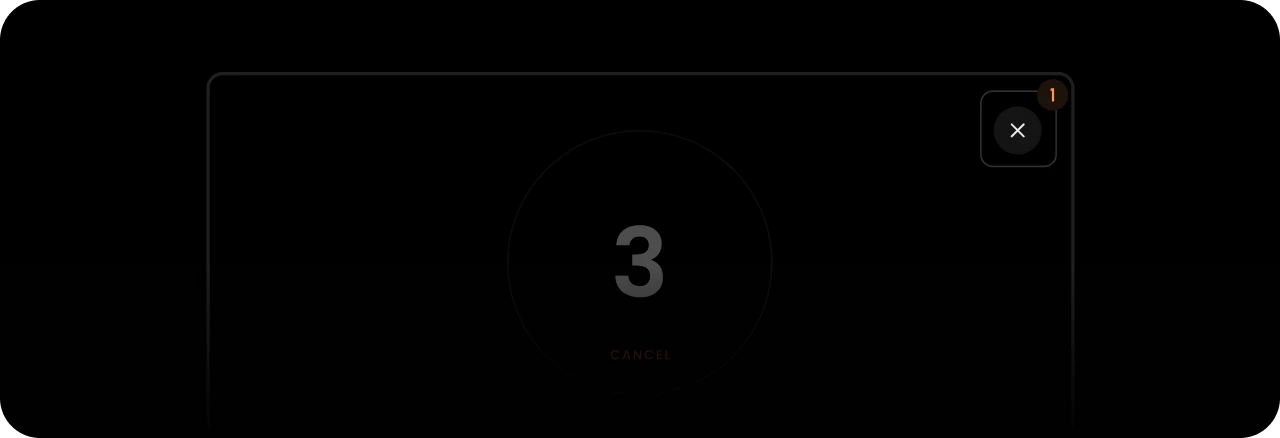
Close Button
- React / Next.js
- Other Frameworks
<VeltRecordingPreviewStepsDialogWireframe.Audio.CloseButton />
<velt-recording-preview-steps-dialog-close-button-wireframe></velt-recording-preview-steps-dialog-close-button-wireframe>
Waveform
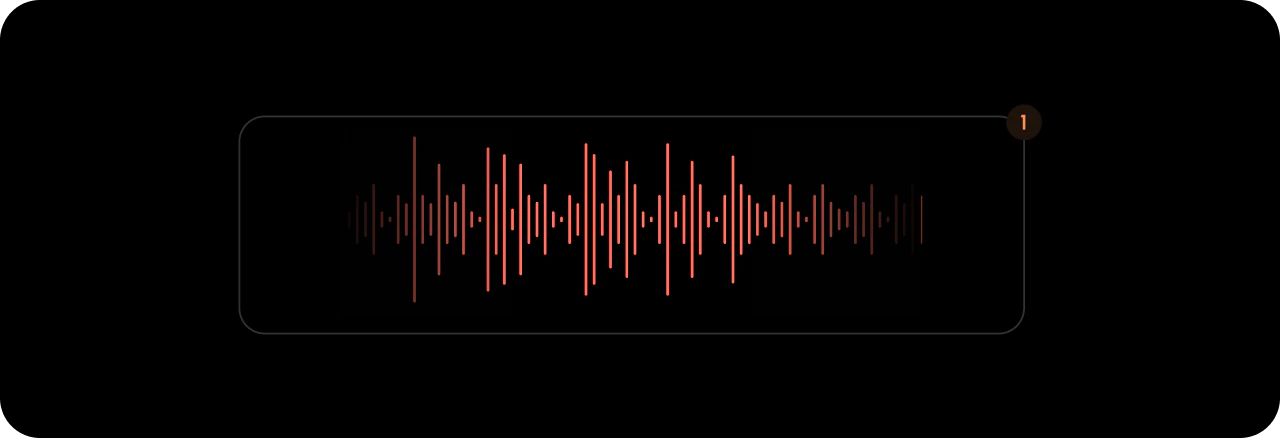
- React / Next.js
- Other Frameworks
<VeltRecordingPreviewStepsDialogWireframe.Audio.Waveform />
<velt-recording-preview-steps-dialog-waveform-wireframe></velt-recording-preview-steps-dialog-waveform-wireframe>
Settings Panel
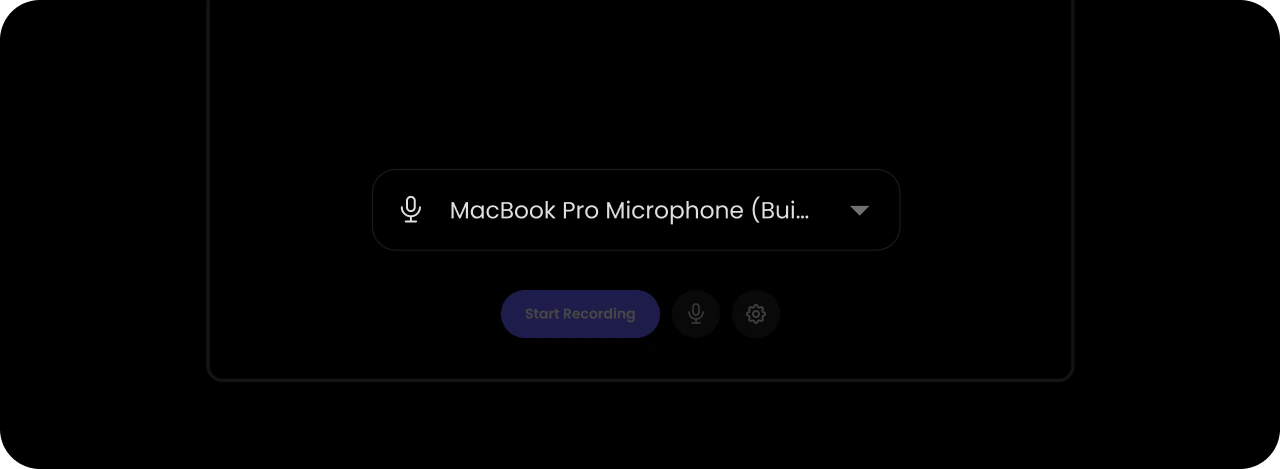
- React / Next.js
- Other Frameworks
<VeltRecordingPreviewStepsDialogWireframe.Audio.SettingsPanel />
<velt-recording-preview-steps-dialog-settings-panel-wireframe></velt-recording-preview-steps-dialog-settings-panel-wireframe>
Video
This component is used for both video and screen recording previews.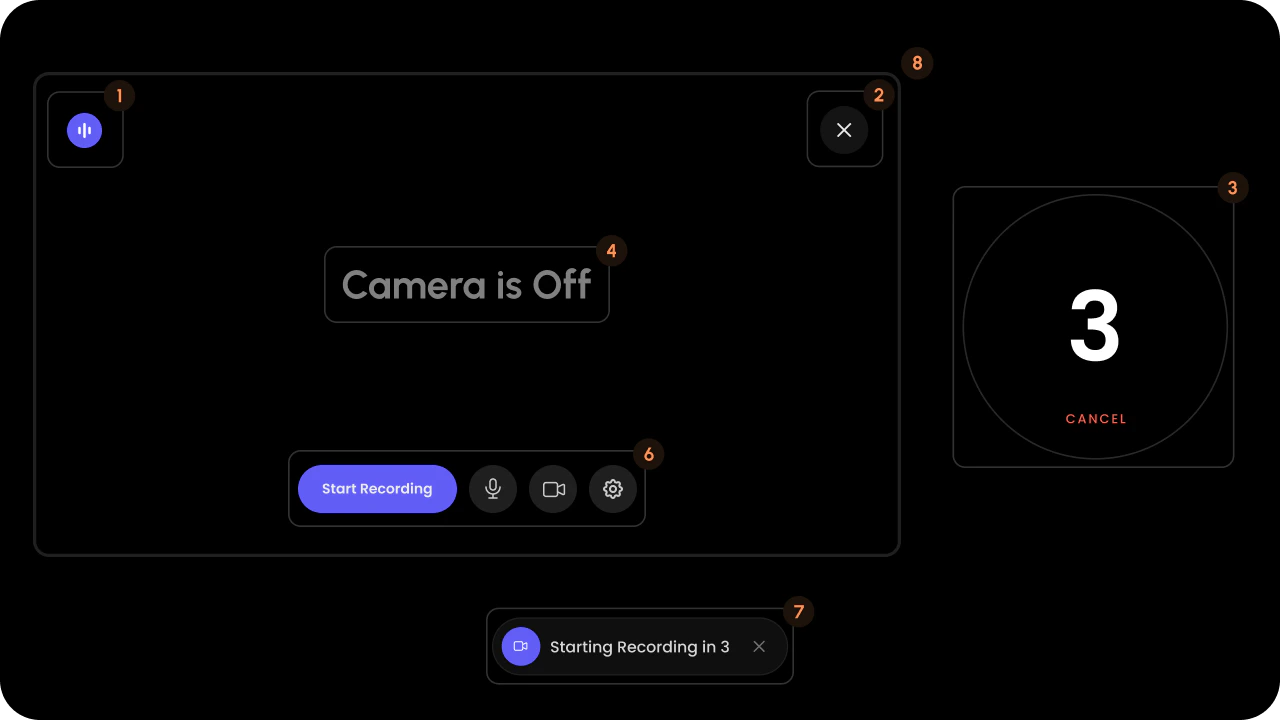
- React / Next.js
- Other Frameworks
<VeltRecordingPreviewStepsDialogWireframe.Video>
    <VeltRecordingPreviewStepsDialogWireframe.Video.Waveform />
    <VeltRecordingPreviewStepsDialogWireframe.Video.CloseButton />
    <VeltRecordingPreviewStepsDialogWireframe.Video.Timer />
    <VeltRecordingPreviewStepsDialogWireframe.Video.CameraOffMessage />
    <VeltRecordingPreviewStepsDialogWireframe.Video.SettingsPanel />
    <VeltRecordingPreviewStepsDialogWireframe.Video.ButtonPanel />
    <VeltRecordingPreviewStepsDialogWireframe.Video.BottomPanel />
    <VeltRecordingPreviewStepsDialogWireframe.Video.VideoPlayer />
    <VeltRecordingPreviewStepsDialogWireframe.Video.ScreenPlayer />
</VeltRecordingPreviewStepsDialogWireframe.Video>
<velt-recording-preview-steps-dialog-video-wireframe>
    <velt-recording-preview-steps-dialog-waveform-wireframe />
    <velt-recording-preview-steps-dialog-close-button-wireframe />
    <velt-recording-preview-steps-dialog-timer-wireframe />
    <velt-recording-preview-steps-dialog-camera-off-message-wireframe />
    <velt-recording-preview-steps-dialog-settings-panel-wireframe />
    <velt-recording-preview-steps-dialog-button-panel-wireframe />
    <velt-recording-preview-steps-dialog-bottom-panel-wireframe />
    <velt-recording-preview-steps-dialog-video-player-wireframe />
    <velt-recording-preview-steps-dialog-screen-player-wireframe />
</velt-recording-preview-steps-dialog-video-wireframe>
Video Bottom Panel
Bottom panel of the video recording preview dialog.
- React / Next.js
- Other Frameworks
<VeltRecordingPreviewStepsDialogWireframe.Video.BottomPanel>
    <VeltRecordingPreviewStepsDialogWireframe.Video.BottomPanel.Icon />
    <VeltRecordingPreviewStepsDialogWireframe.Video.BottomPanel.Countdown />
    <VeltRecordingPreviewStepsDialogWireframe.Video.BottomPanel.Close />
</VeltRecordingPreviewStepsDialogWireframe.Video.BottomPanel>

// If you want to customize the Icon for individual media types, you can use the following:

<VeltRecordingPreviewStepsDialogWireframe.Video.BottomPanel.Icon type="audio">
    {/* Your custom icon here */}
</VeltRecordingPreviewStepsDialogWireframe.Video.BottomPanel.Icon>

<VeltRecordingPreviewStepsDialogWireframe.Video.BottomPanel.Icon type="video">
    {/* Your custom icon here */}
</VeltRecordingPreviewStepsDialogWireframe.Video.BottomPanel.Icon>

<VeltRecordingPreviewStepsDialogWireframe.Video.BottomPanel.Icon type="screen">
    {/* Your custom icon here */}
</VeltRecordingPreviewStepsDialogWireframe.Video.BottomPanel.Icon>
<velt-recording-preview-steps-dialog-bottom-panel-wireframe>
    <velt-recording-preview-steps-dialog-bottom-panel-icon-wireframe></velt-recording-preview-steps-dialog-bottom-panel-icon-wireframe>
    <velt-recording-preview-steps-dialog-bottom-panel-countdown-wireframe></velt-recording-preview-steps-dialog-bottom-panel-countdown-wireframe>
    <velt-recording-preview-steps-dialog-bottom-panel-close-wireframe></velt-recording-preview-steps-dialog-bottom-panel-close-wireframe>
</velt-recording-preview-steps-dialog-bottom-panel-wireframe>

<!-- If you want to customize the Icon for individual media types, you can use the following: -->
<velt-recording-preview-steps-dialog-bottom-panel-icon-wireframe type="audio">
    <!-- Your custom icon here -->
</velt-recording-preview-steps-dialog-bottom-panel-icon-wireframe>

<velt-recording-preview-steps-dialog-bottom-panel-icon-wireframe type="video">
    <!-- Your custom icon here -->
</velt-recording-preview-steps-dialog-bottom-panel-icon-wireframe>

<velt-recording-preview-steps-dialog-bottom-panel-icon-wireframe type="screen">
    <!-- Your custom icon here -->
</velt-recording-preview-steps-dialog-bottom-panel-icon-wireframe>
Icon

- React / Next.js
- Other Frameworks
<VeltRecordingPreviewStepsDialogWireframe.Video.BottomPanel.Icon />

// To customize for a specific media type:
<VeltRecordingPreviewStepsDialogWireframe.Video.BottomPanel.Icon type="audio">{/* audio icon */}</VeltRecordingPreviewStepsDialogWireframe.Video.BottomPanel.Icon>
<VeltRecordingPreviewStepsDialogWireframe.Video.BottomPanel.Icon type="video">{/* video icon */}</VeltRecordingPreviewStepsDialogWireframe.Video.BottomPanel.Icon>
<VeltRecordingPreviewStepsDialogWireframe.Video.BottomPanel.Icon type="screen">{/* screen icon */}</VeltRecordingPreviewStepsDialogWireframe.Video.BottomPanel.Icon>
<velt-recording-preview-steps-dialog-bottom-panel-icon-wireframe></velt-recording-preview-steps-dialog-bottom-panel-icon-wireframe>

<!-- To customize for a specific media type: -->
<velt-recording-preview-steps-dialog-bottom-panel-icon-wireframe type="audio"><!-- audio icon --></velt-recording-preview-steps-dialog-bottom-panel-icon-wireframe>
<velt-recording-preview-steps-dialog-bottom-panel-icon-wireframe type="video"><!-- video icon --></velt-recording-preview-steps-dialog-bottom-panel-icon-wireframe>
<velt-recording-preview-steps-dialog-bottom-panel-icon-wireframe type="screen"><!-- screen icon --></velt-recording-preview-steps-dialog-bottom-panel-icon-wireframe>
Countdown

- React / Next.js
- Other Frameworks
<VeltRecordingPreviewStepsDialogWireframe.Video.BottomPanel.Countdown />
<velt-recording-preview-steps-dialog-bottom-panel-countdown-wireframe></velt-recording-preview-steps-dialog-bottom-panel-countdown-wireframe>
Close

- React / Next.js
- Other Frameworks
<VeltRecordingPreviewStepsDialogWireframe.Video.BottomPanel.Close />
<velt-recording-preview-steps-dialog-bottom-panel-close-wireframe></velt-recording-preview-steps-dialog-bottom-panel-close-wireframe>
Video Button Panel
Button panel of the video recording preview dialog.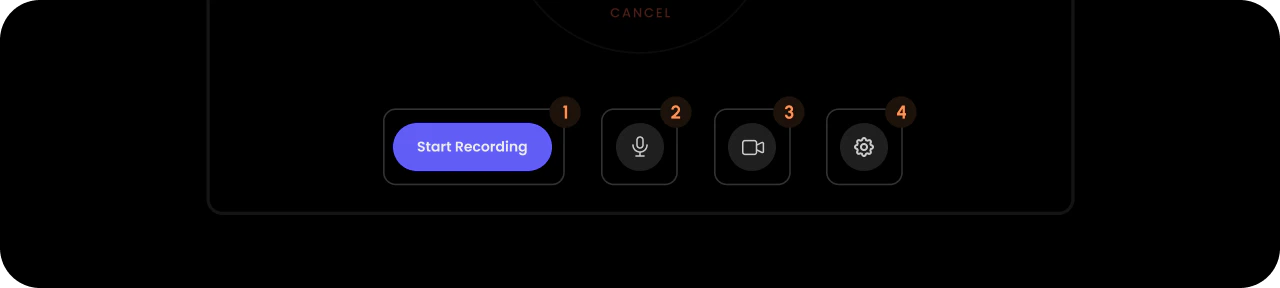
- React / Next.js
- Other Frameworks
<VeltRecordingPreviewStepsDialogWireframe.Video.ButtonPanel>
    <VeltRecordingPreviewStepsDialogWireframe.Video.StartRecording />
    <VeltRecordingPreviewStepsDialogWireframe.Video.MicButton>
        <VeltRecordingPreviewStepsDialogWireframe.Video.MicButton.On />
        <VeltRecordingPreviewStepsDialogWireframe.Video.MicButton.Off />
    </VeltRecordingPreviewStepsDialogWireframe.Video.MicButton>
    <VeltRecordingPreviewStepsDialogWireframe.Video.CameraButton>
        <VeltRecordingPreviewStepsDialogWireframe.Video.CameraButton.On />
        <VeltRecordingPreviewStepsDialogWireframe.Video.CameraButton.Off />
    </VeltRecordingPreviewStepsDialogWireframe.Video.CameraButton>
    <VeltRecordingPreviewStepsDialogWireframe.Video.Settings />
</VeltRecordingPreviewStepsDialogWireframe.Video.ButtonPanel>
<velt-recording-preview-steps-dialog-button-panel-wireframe>
    <velt-recording-preview-steps-dialog-start-recording-wireframe></velt-recording-preview-steps-dialog-start-recording-wireframe>
    <velt-recording-preview-steps-dialog-mic-button-wireframe>
        <velt-recording-preview-steps-dialog-mic-button-on-wireframe></velt-recording-preview-steps-dialog-mic-button-on-wireframe>
        <velt-recording-preview-steps-dialog-mic-button-off-wireframe></velt-recording-preview-steps-dialog-mic-button-off-wireframe>
    </velt-recording-preview-steps-dialog-mic-button-wireframe>
    <velt-recording-preview-steps-dialog-camera-button-wireframe>
        <velt-recording-preview-steps-dialog-camera-button-on-wireframe></velt-recording-preview-steps-dialog-camera-button-on-wireframe>
        <velt-recording-preview-steps-dialog-camera-button-off-wireframe></velt-recording-preview-steps-dialog-camera-button-off-wireframe>
    </velt-recording-preview-steps-dialog-camera-button-wireframe>
    <velt-recording-preview-steps-dialog-settings-wireframe></velt-recording-preview-steps-dialog-settings-wireframe>
</velt-recording-preview-steps-dialog-button-panel-wireframe>
Start Recording
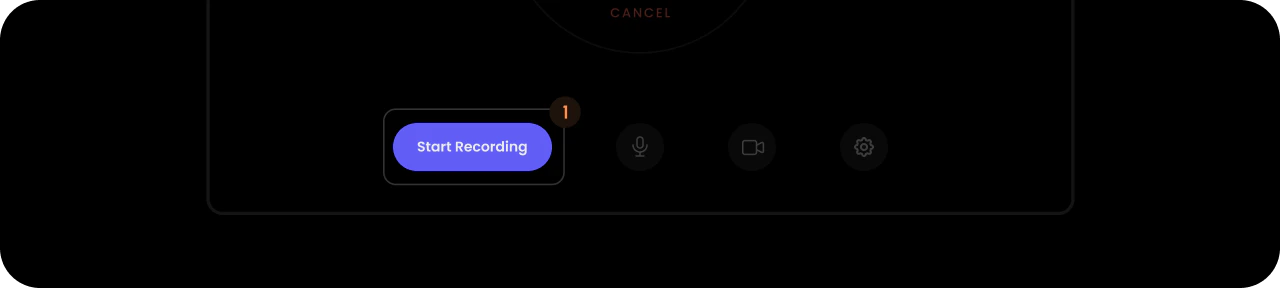
- React / Next.js
- Other Frameworks
<VeltRecordingPreviewStepsDialogWireframe.Video.StartRecording />
<velt-recording-preview-steps-dialog-start-recording-wireframe></velt-recording-preview-steps-dialog-start-recording-wireframe>
Mic Button
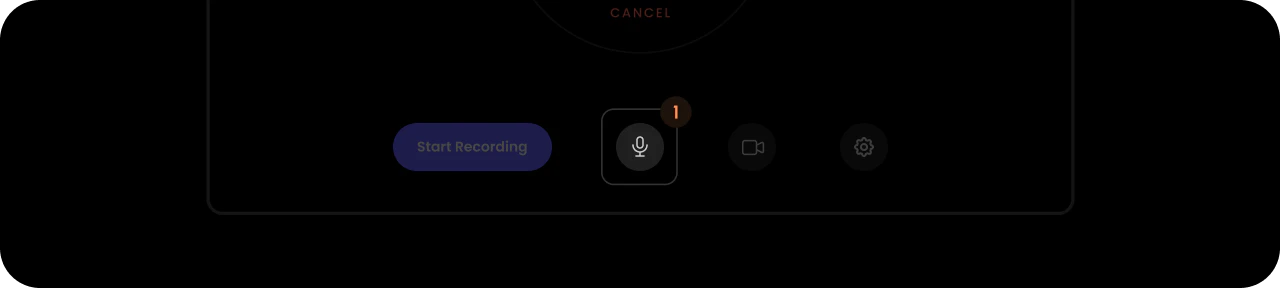
- React / Next.js
- Other Frameworks
<VeltRecordingPreviewStepsDialogWireframe.Video.MicButton>
    <VeltRecordingPreviewStepsDialogWireframe.Video.MicButton.On />
    <VeltRecordingPreviewStepsDialogWireframe.Video.MicButton.Off />
</VeltRecordingPreviewStepsDialogWireframe.Video.MicButton>
<velt-recording-preview-steps-dialog-mic-button-wireframe>
    <velt-recording-preview-steps-dialog-mic-button-on-wireframe></velt-recording-preview-steps-dialog-mic-button-on-wireframe>
    <velt-recording-preview-steps-dialog-mic-button-off-wireframe></velt-recording-preview-steps-dialog-mic-button-off-wireframe>
</velt-recording-preview-steps-dialog-mic-button-wireframe>
On

- React / Next.js
- Other Frameworks
<VeltRecordingPreviewStepsDialogWireframe.Video.MicButton.On />
<velt-recording-preview-steps-dialog-mic-button-on-wireframe></velt-recording-preview-steps-dialog-mic-button-on-wireframe>
Off

- React / Next.js
- Other Frameworks
<VeltRecordingPreviewStepsDialogWireframe.Video.MicButton.Off />
<velt-recording-preview-steps-dialog-mic-button-off-wireframe></velt-recording-preview-steps-dialog-mic-button-off-wireframe>
Camera Button
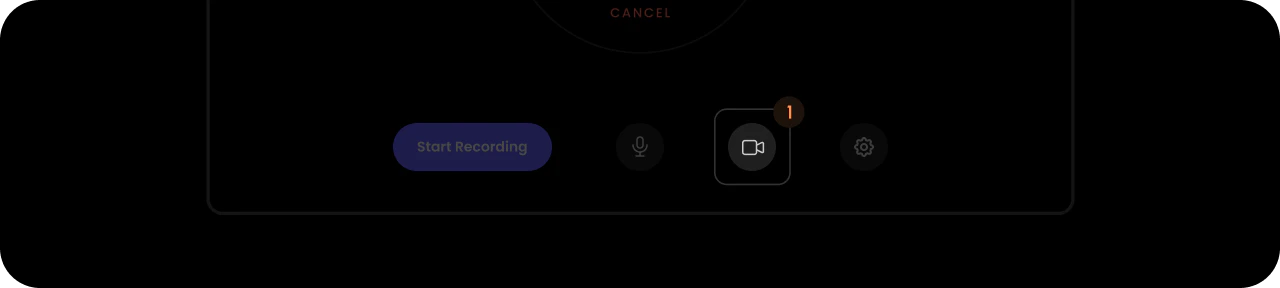
- React / Next.js
- Other Frameworks
<VeltRecordingPreviewStepsDialogWireframe.Video.CameraButton>
    <VeltRecordingPreviewStepsDialogWireframe.Video.CameraButton.On />
    <VeltRecordingPreviewStepsDialogWireframe.Video.CameraButton.Off />
</VeltRecordingPreviewStepsDialogWireframe.Video.CameraButton>
<velt-recording-preview-steps-dialog-camera-button-wireframe>
    <velt-recording-preview-steps-dialog-camera-button-on-wireframe></velt-recording-preview-steps-dialog-camera-button-on-wireframe>
    <velt-recording-preview-steps-dialog-camera-button-off-wireframe></velt-recording-preview-steps-dialog-camera-button-off-wireframe>
</velt-recording-preview-steps-dialog-camera-button-wireframe>
On

- React / Next.js
- Other Frameworks
<VeltRecordingPreviewStepsDialogWireframe.Video.CameraButton.On />
<velt-recording-preview-steps-dialog-camera-button-on-wireframe></velt-recording-preview-steps-dialog-camera-button-on-wireframe>
Off

- React / Next.js
- Other Frameworks
<VeltRecordingPreviewStepsDialogWireframe.Video.CameraButton.Off />
<velt-recording-preview-steps-dialog-camera-button-off-wireframe></velt-recording-preview-steps-dialog-camera-button-off-wireframe>
Settings
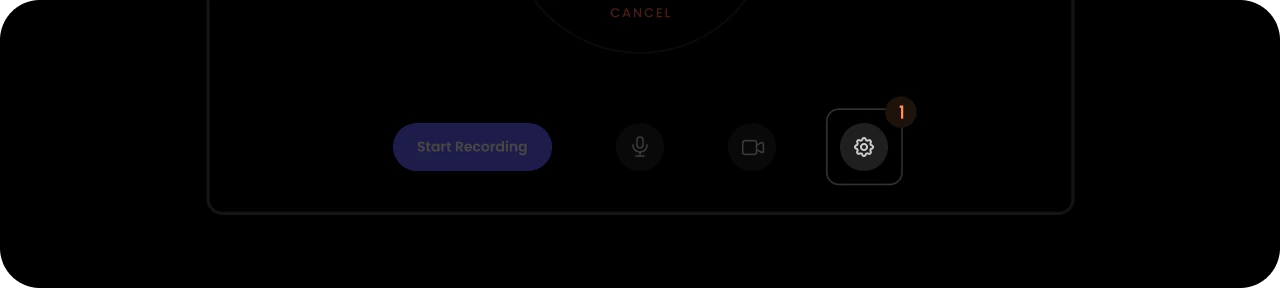
- React / Next.js
- Other Frameworks
<VeltRecordingPreviewStepsDialogWireframe.Video.Settings />
<velt-recording-preview-steps-dialog-settings-wireframe></velt-recording-preview-steps-dialog-settings-wireframe>
Video Timer
Timer of the video recording preview dialog.- React / Next.js
- Other Frameworks
<VeltRecordingPreviewStepsDialogWireframe.Video.Timer>
    <VeltRecordingPreviewStepsDialogWireframe.Video.Timer.Countdown />
    <VeltRecordingPreviewStepsDialogWireframe.Video.Timer.Cancel />
</VeltRecordingPreviewStepsDialogWireframe.Video.Timer>
<velt-recording-preview-steps-dialog-timer-wireframe>
    <velt-recording-preview-steps-dialog-timer-countdown-wireframe></velt-recording-preview-steps-dialog-timer-countdown-wireframe>
    <velt-recording-preview-steps-dialog-timer-cancel-wireframe></velt-recording-preview-steps-dialog-timer-cancel-wireframe>
</velt-recording-preview-steps-dialog-timer-wireframe>
Countdown
- React / Next.js
- Other Frameworks
<VeltRecordingPreviewStepsDialogWireframe.Video.Timer.Countdown />
<velt-recording-preview-steps-dialog-timer-countdown-wireframe></velt-recording-preview-steps-dialog-timer-countdown-wireframe>
Cancel
- React / Next.js
- Other Frameworks
<VeltRecordingPreviewStepsDialogWireframe.Video.Timer.Cancel />
<velt-recording-preview-steps-dialog-timer-cancel-wireframe></velt-recording-preview-steps-dialog-timer-cancel-wireframe>
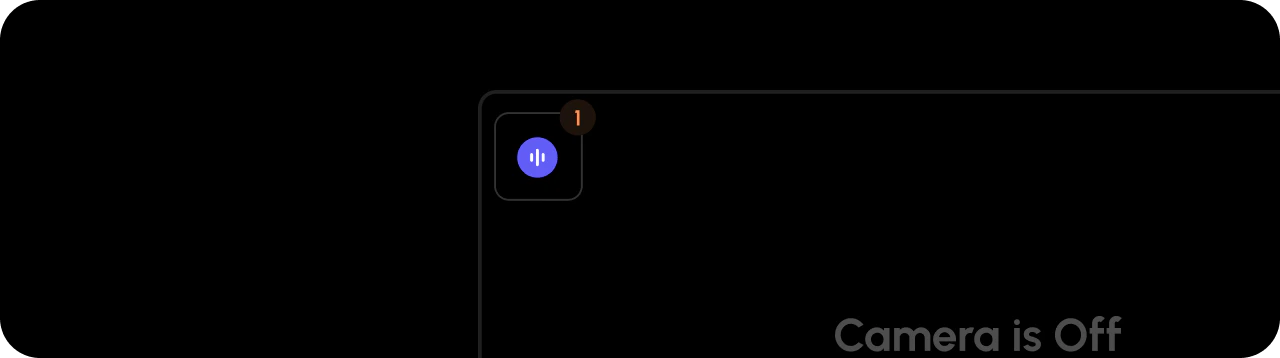
Waveform
- React / Next.js
- Other Frameworks
<VeltRecordingPreviewStepsDialogWireframe.Video.Waveform />
<velt-recording-preview-steps-dialog-waveform-wireframe></velt-recording-preview-steps-dialog-waveform-wireframe>
Close Button
- React / Next.js
- Other Frameworks
<VeltRecordingPreviewStepsDialogWireframe.Video.CloseButton />
<velt-recording-preview-steps-dialog-close-button-wireframe></velt-recording-preview-steps-dialog-close-button-wireframe>
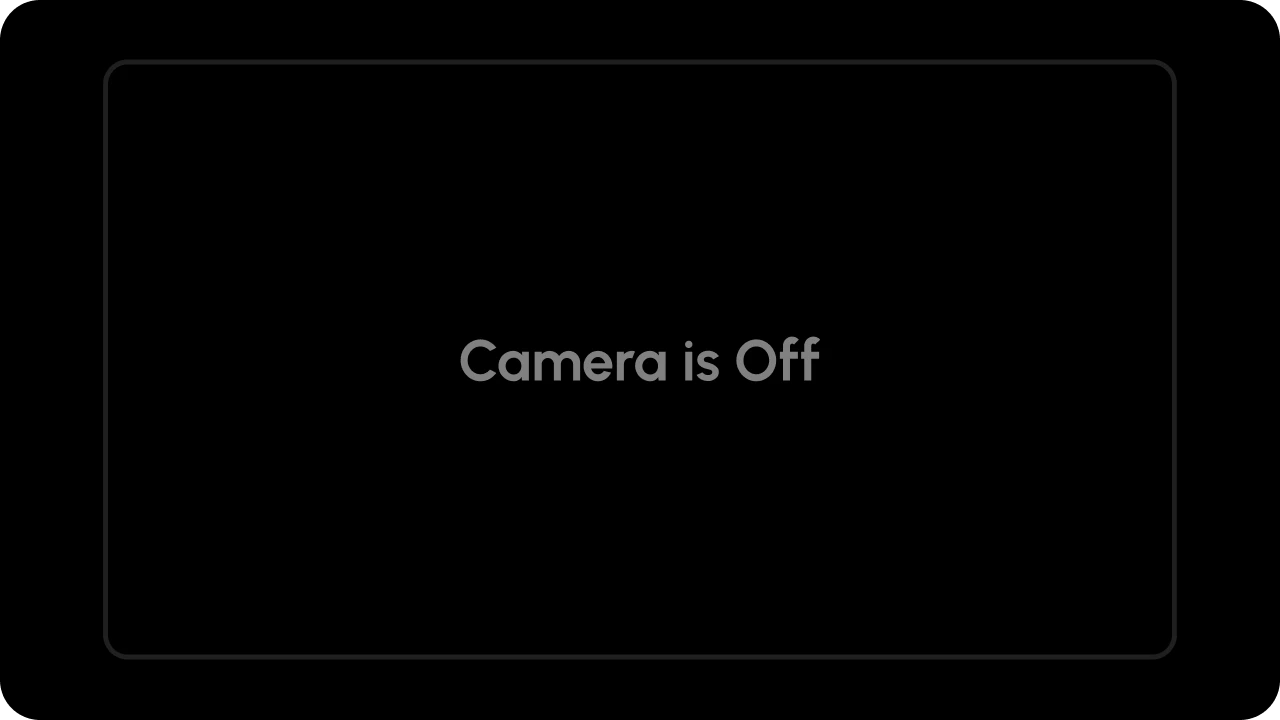
Camera Off Message
- React / Next.js
- Other Frameworks
<VeltRecordingPreviewStepsDialogWireframe.Video.CameraOffMessage />
<velt-recording-preview-steps-dialog-camera-off-message-wireframe></velt-recording-preview-steps-dialog-camera-off-message-wireframe>
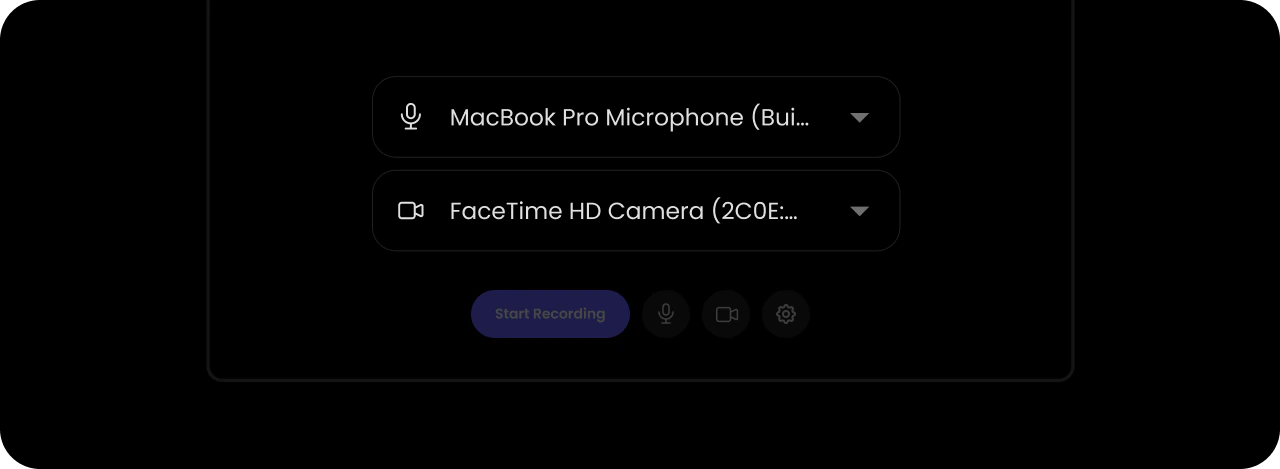
Settings Panel
- React / Next.js
- Other Frameworks
<VeltRecordingPreviewStepsDialogWireframe.Video.SettingsPanel />
<velt-recording-preview-steps-dialog-settings-panel-wireframe></velt-recording-preview-steps-dialog-settings-panel-wireframe>
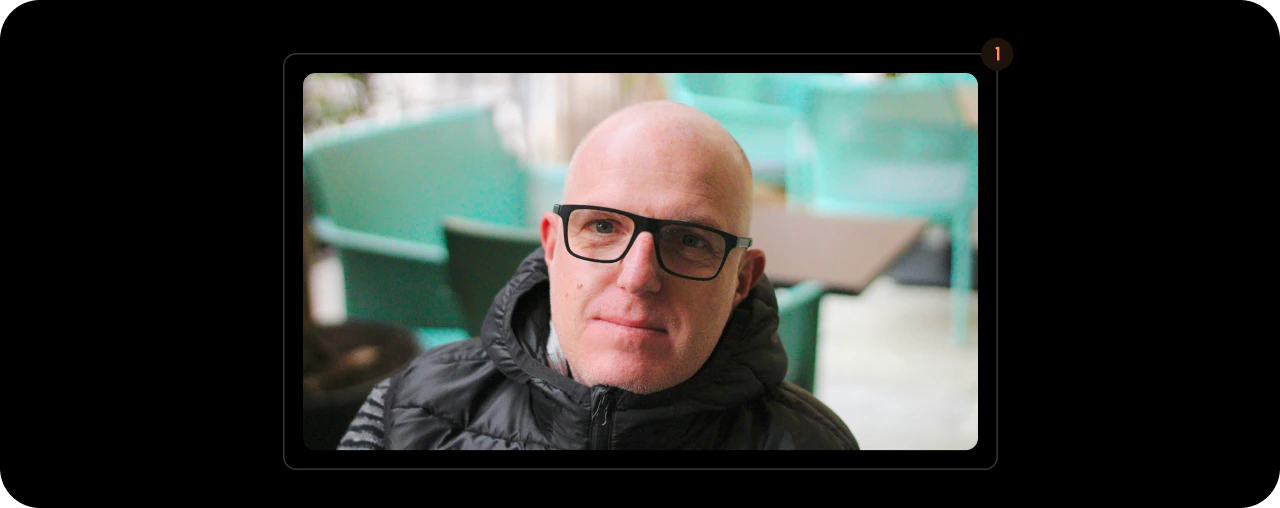
Video Player
- React / Next.js
- Other Frameworks
<VeltRecordingPreviewStepsDialogWireframe.Video.VideoPlayer />
<velt-recording-preview-steps-dialog-video-player-wireframe></velt-recording-preview-steps-dialog-video-player-wireframe>
ScreenPlayer (Video)
This component is used for screen recording preview within the video dialog. It displays the screen capture content for screen recordings.- React / Next.js
- Other Frameworks
<VeltWireframe>
    <VeltRecordingPreviewStepsDialogWireframe.Video.ScreenPlayer />
</VeltWireframe>
<velt-wireframe style="display:none;">
    <velt-recording-preview-steps-dialog-screen-player-wireframe></velt-recording-preview-steps-dialog-screen-player-wireframe>
</velt-wireframe>